Your whole shift, on one screen
Innkeeper keeps orders, bookings, the room and the bill in one place — and shows them in the order they happen. Built for small restaurants working off a tablet rather than a back office.
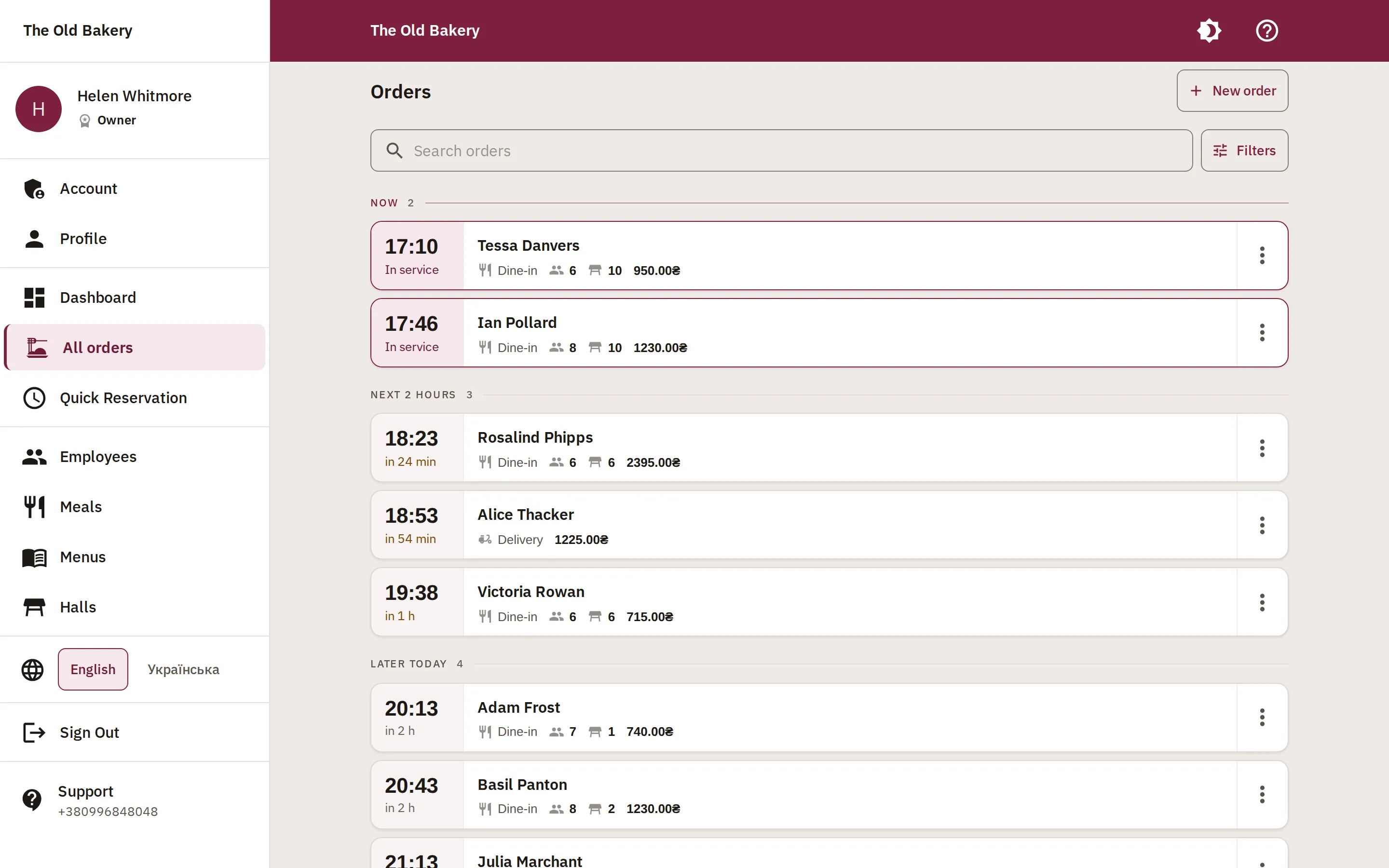
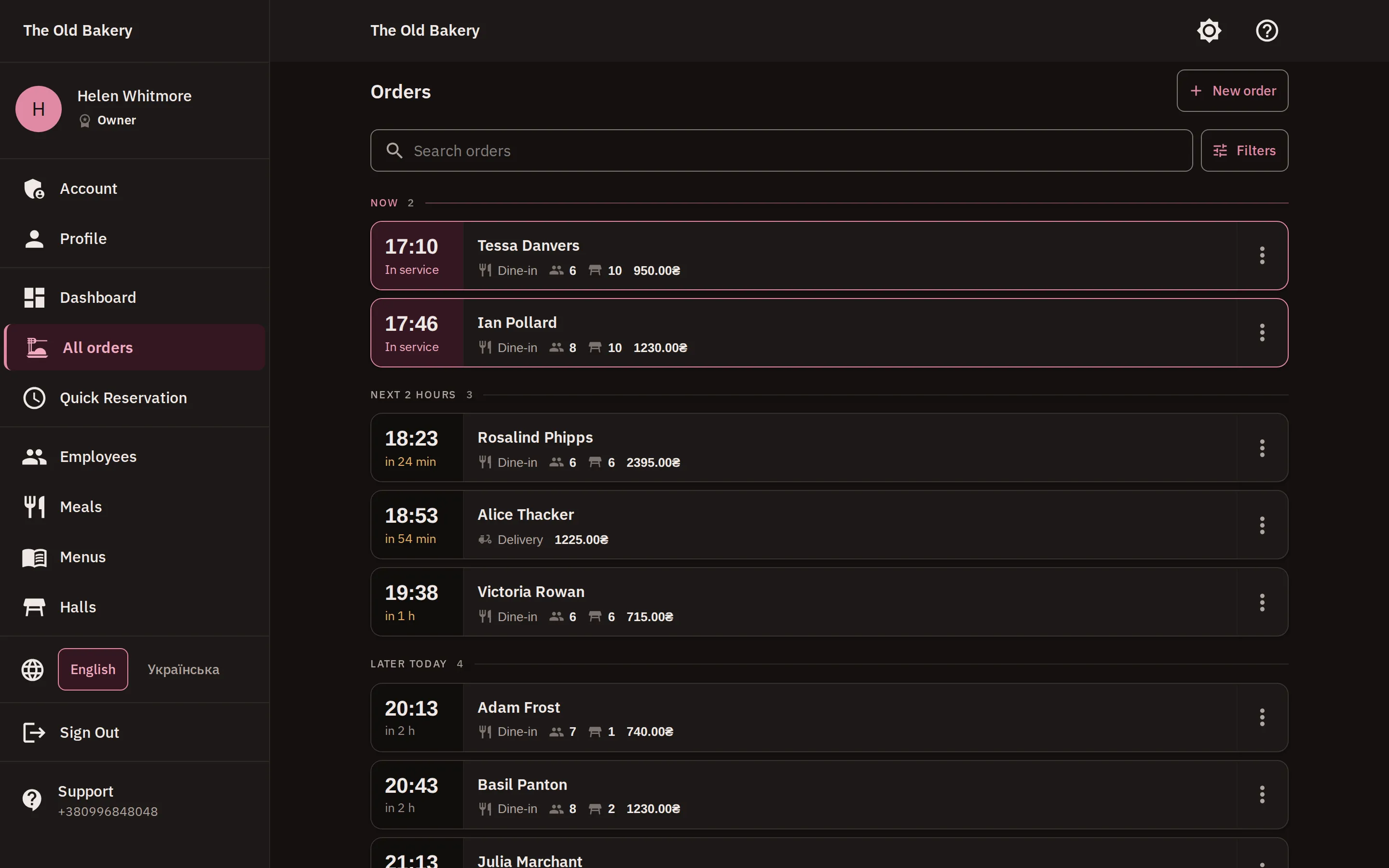
Not a to-do list. An evening.
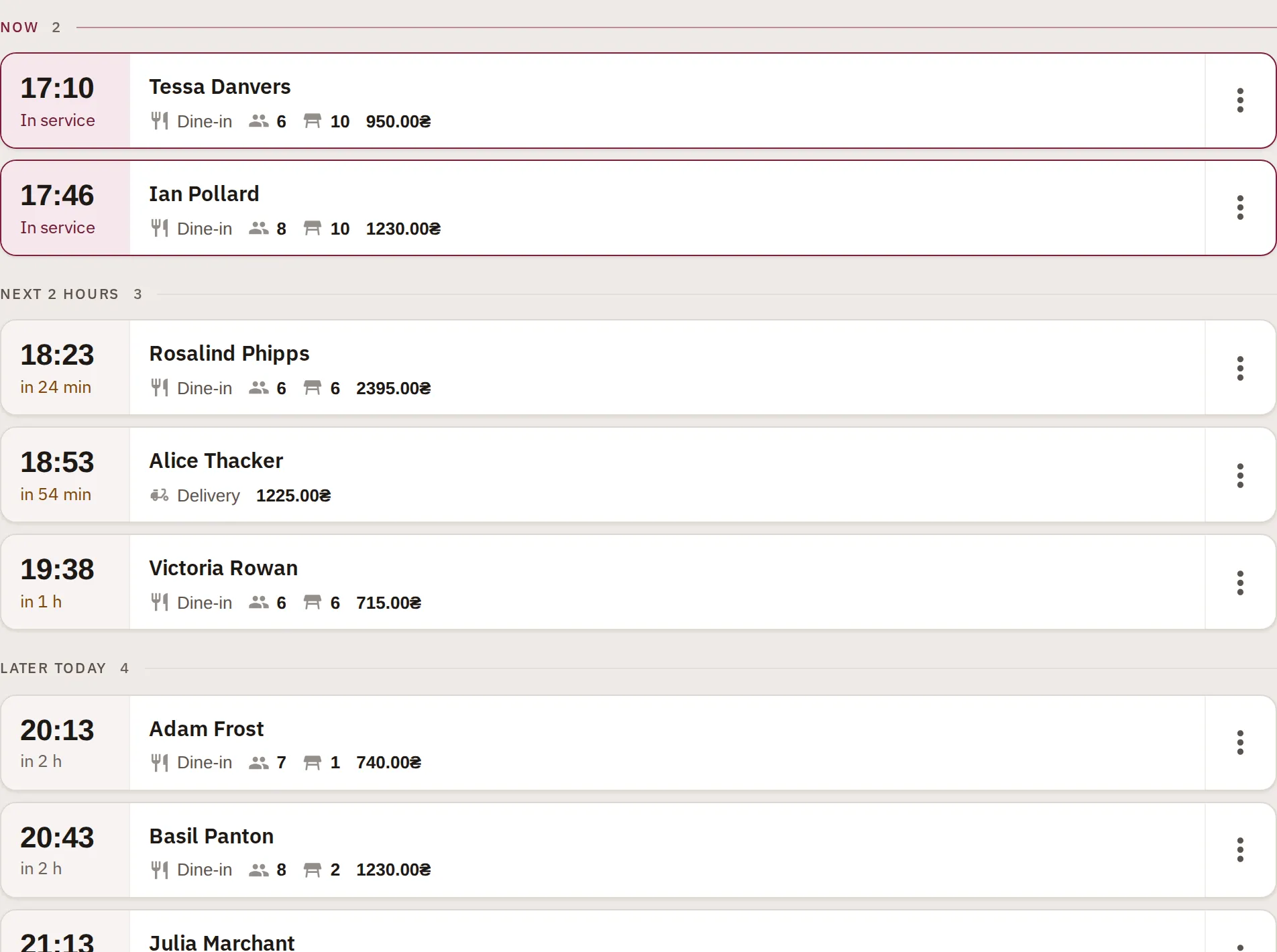
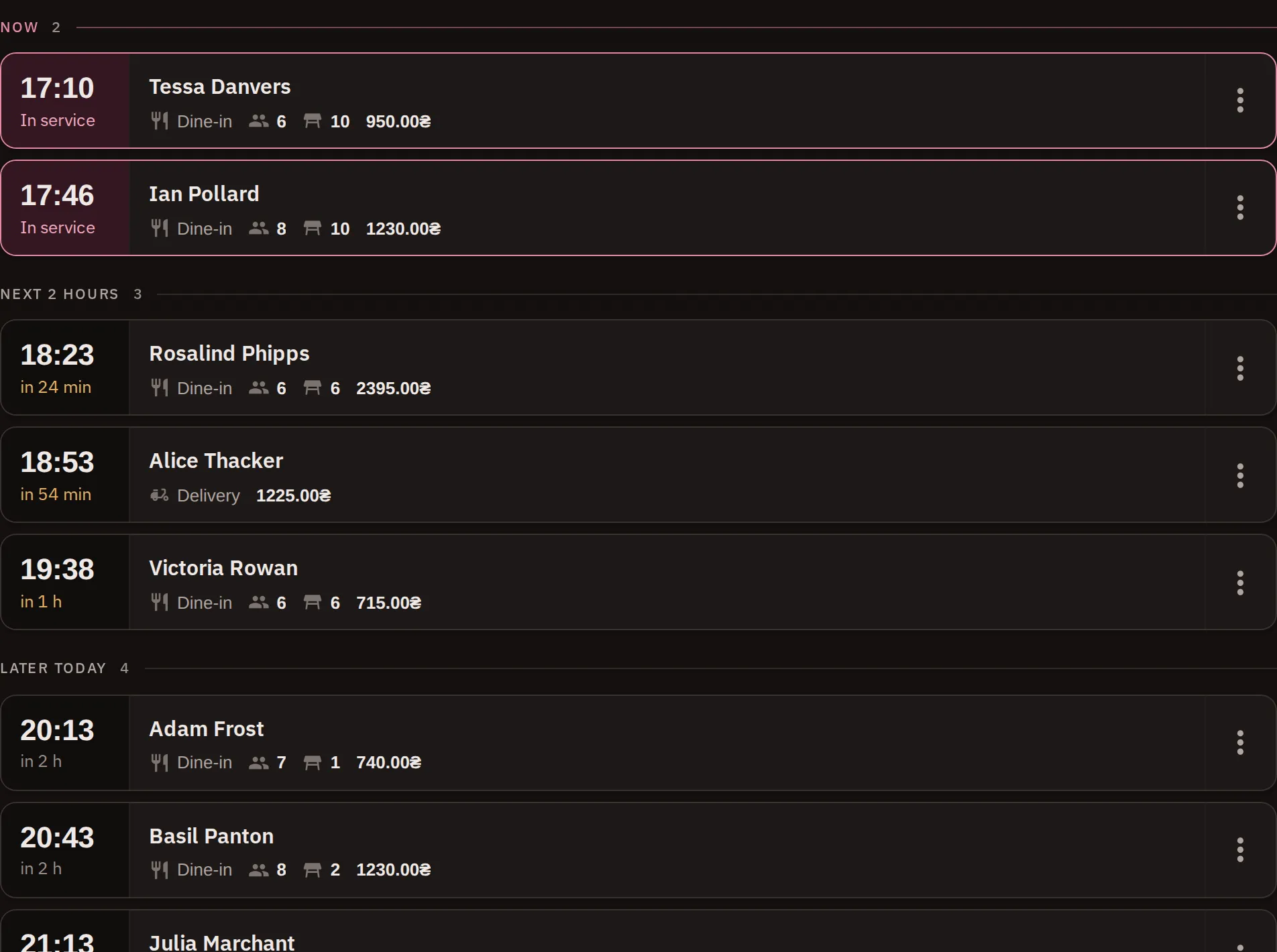
The four screens a shift actually happens on. These are real captures of the app, not mockups.
Orders filed by time, not listed by date
Now · Next 2 hours · Later today · Tomorrow. You never work out whether something is soon — it is already filed under soon. A table being served is tinted; everything else waits its turn.
- A host sees what is happening now without scrolling
- Delivery, take-away and dine-in in one stream
- The bill total sits in the row
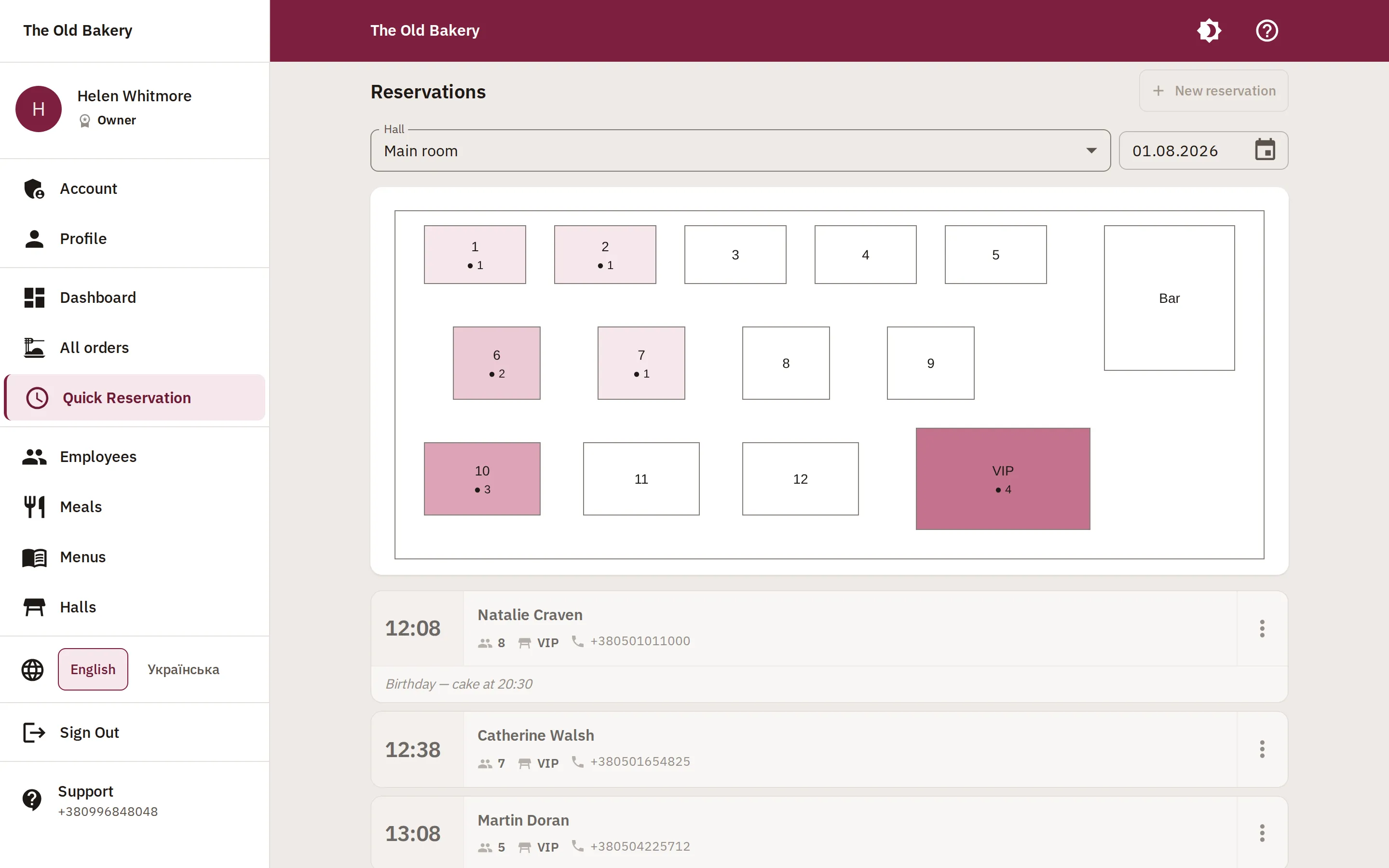
You see the room, not a spreadsheet
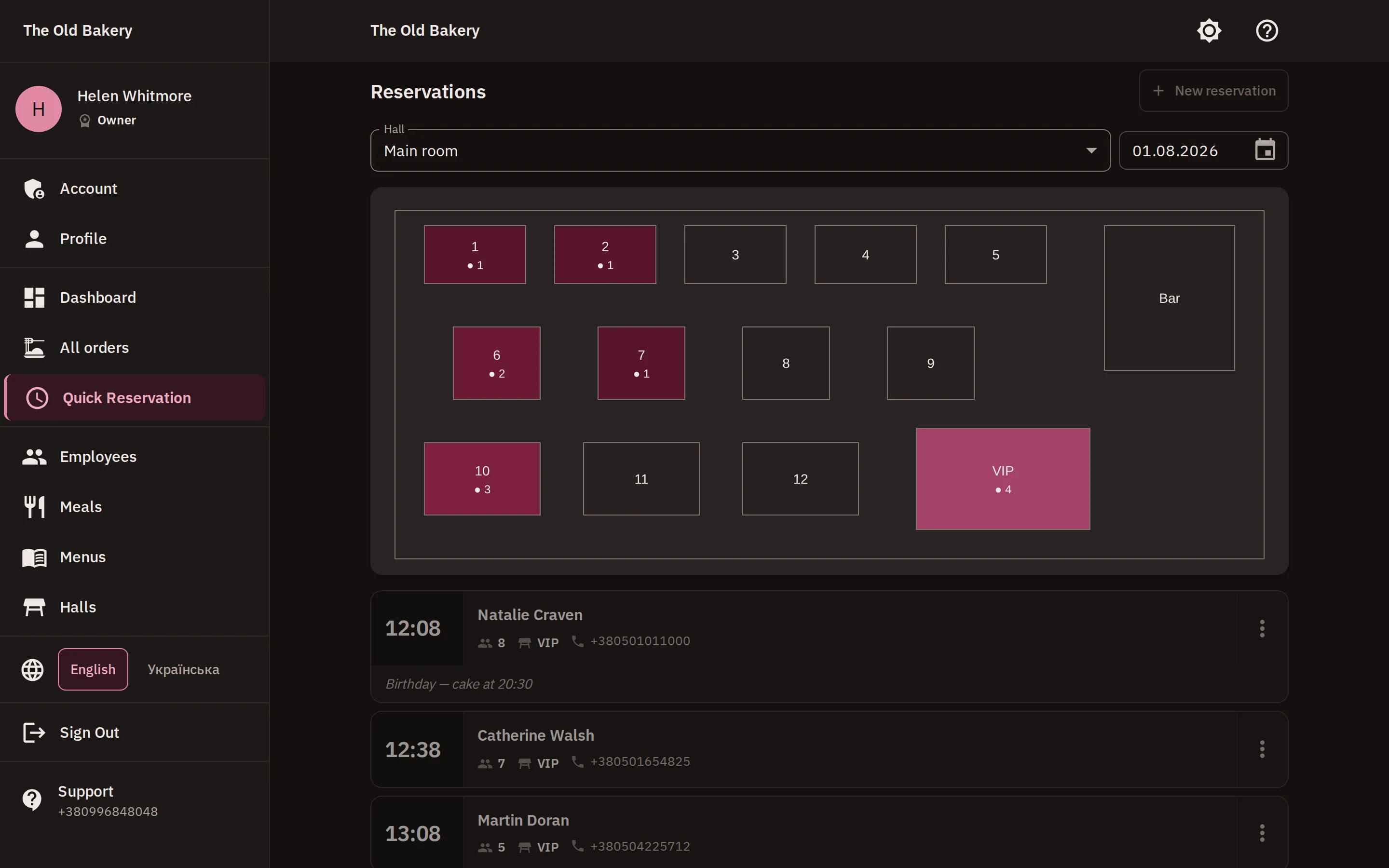
A floor plan with your tables at your dimensions. The darker a table, the more bookings it holds for the chosen date — with the number beside it, because nobody can tell two from three by shade.
- Several rooms, and the terrace
- Drag a table; the grid catches it
- Book straight from the plan
The bill adds up while you work
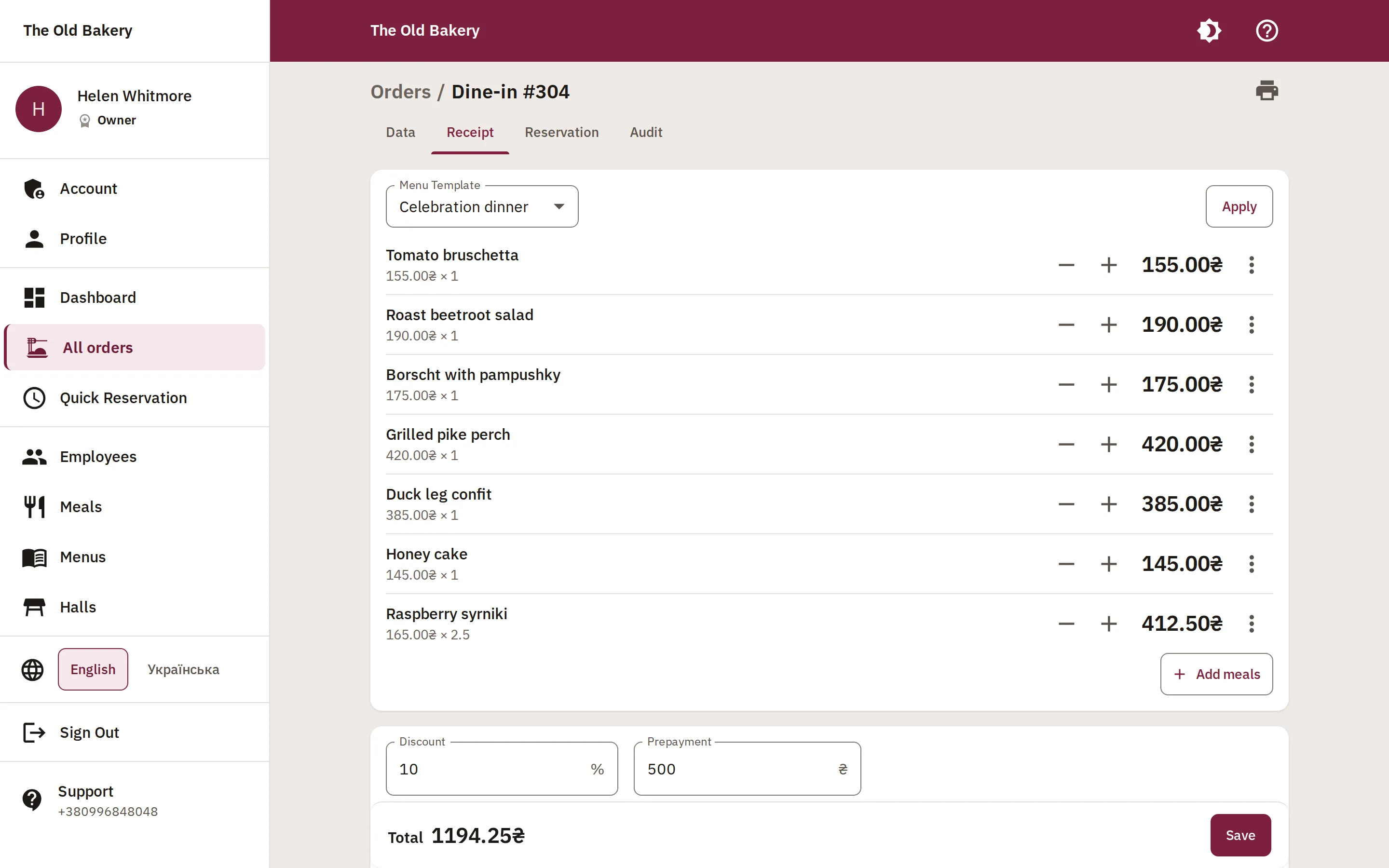
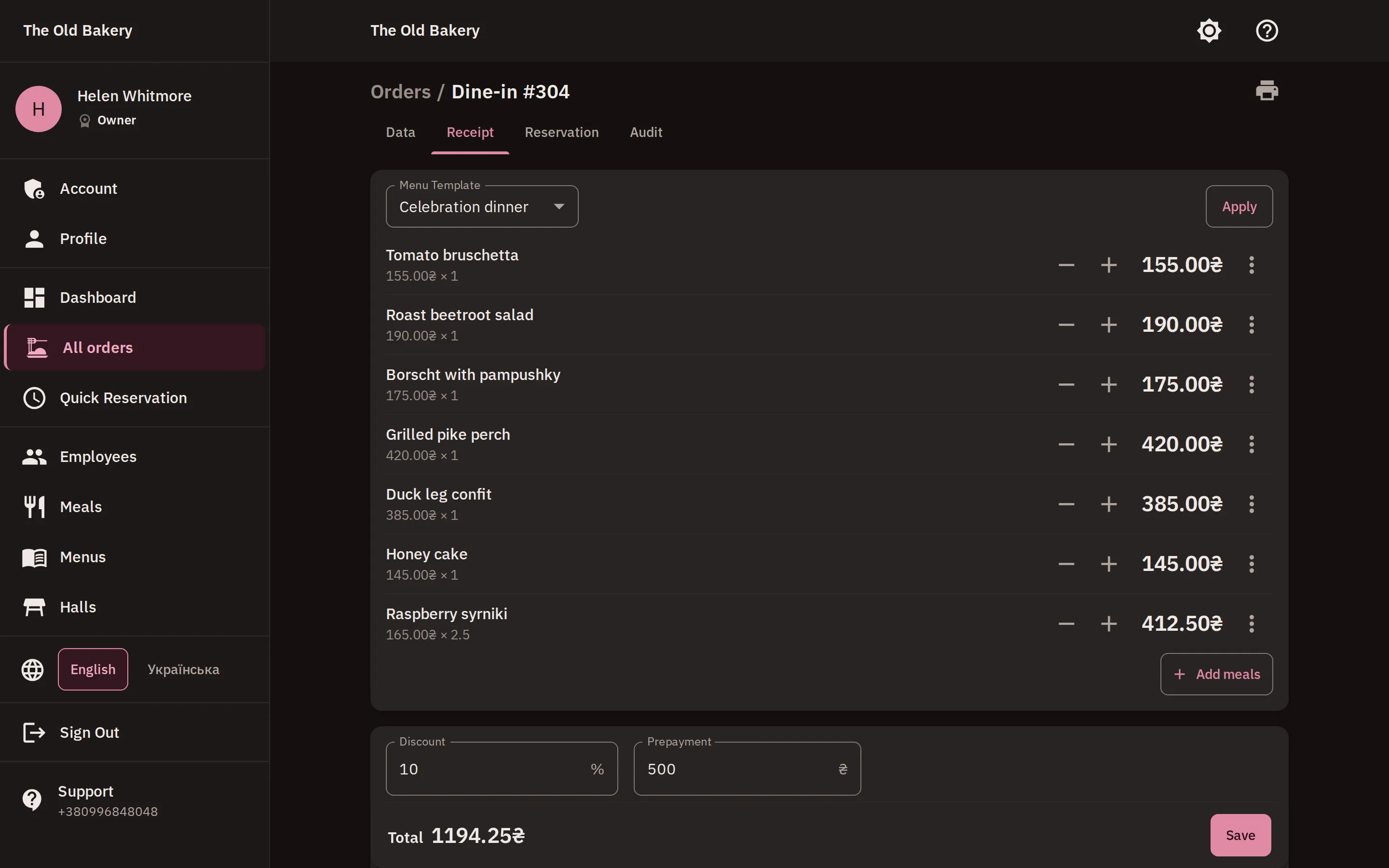
Add dishes by search, or drop in a whole prepared menu at once. A percentage discount, a deposit, the total — and Save pinned to the bottom of the screen however long the receipt runs.
- Saved menus for a banquet or a set lunch
- A dish's price is fixed when the order is taken
- Receipts print with nothing extra on them
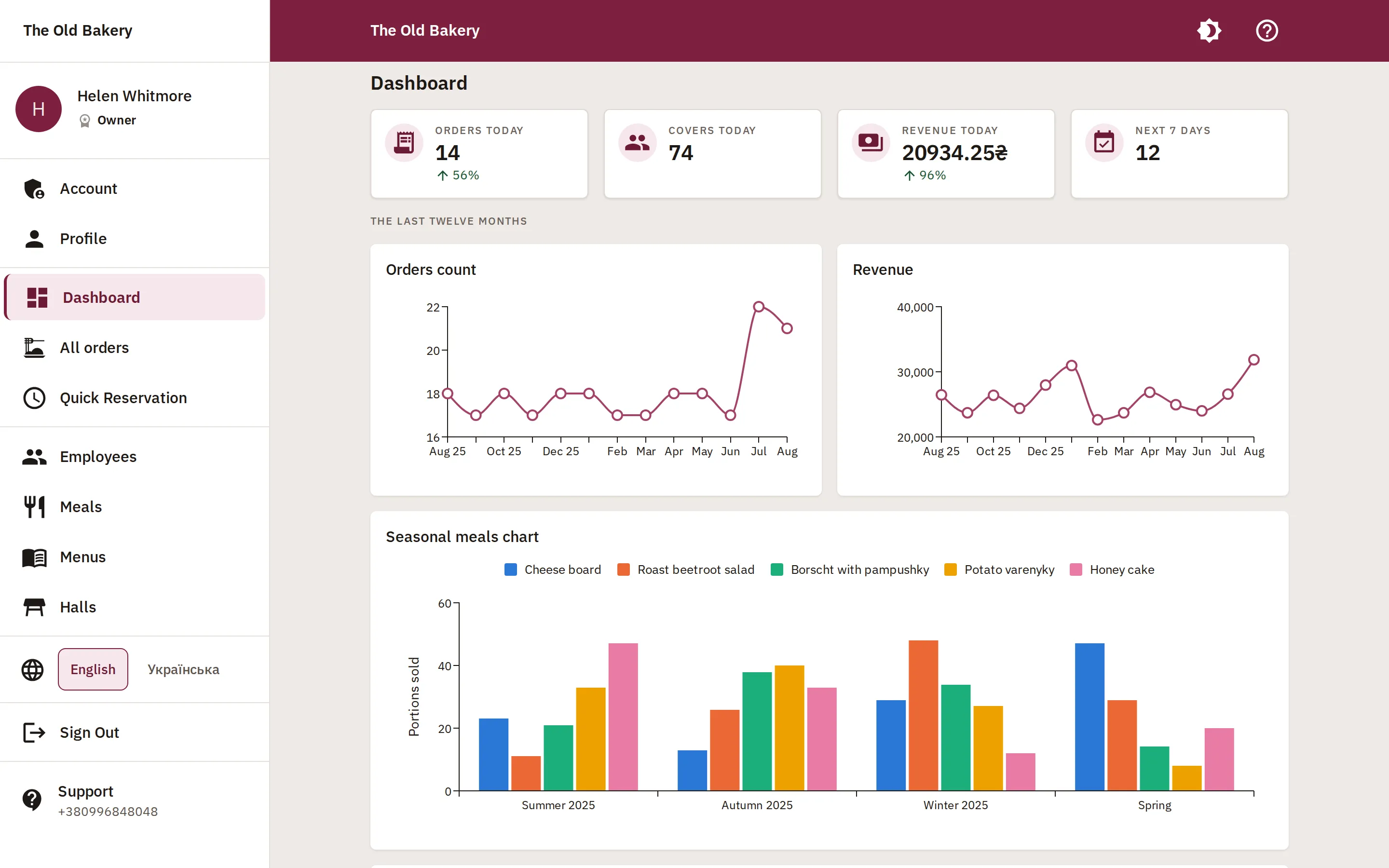
And somebody finally sees the numbers
Today's orders, covers and revenue — against the same weekday last week, because a Saturday has nothing to say to a Friday. Below that: the year by month, how dishes move with the season, and who took what.
- Compared against the same day of the week
- Dish seasonality across four quarters
- Change history: who edited what, and when
The things you miss daily
Nobody buys software for these. People leave software over them.
-
Roles and access
A server sees orders and the menu. Billing, staff and analytics stay with the owner and administrators.
-
Change history
Every order, menu and table records who changed what — with the value before and after.
-
Versioned prices
An open order holds the price it was taken at. You apply the new one deliberately, rather than discovering it at the till.
-
Two languages, all the way down
Interface and the whole user manual in English and Ukrainian. Each person picks their own.
-
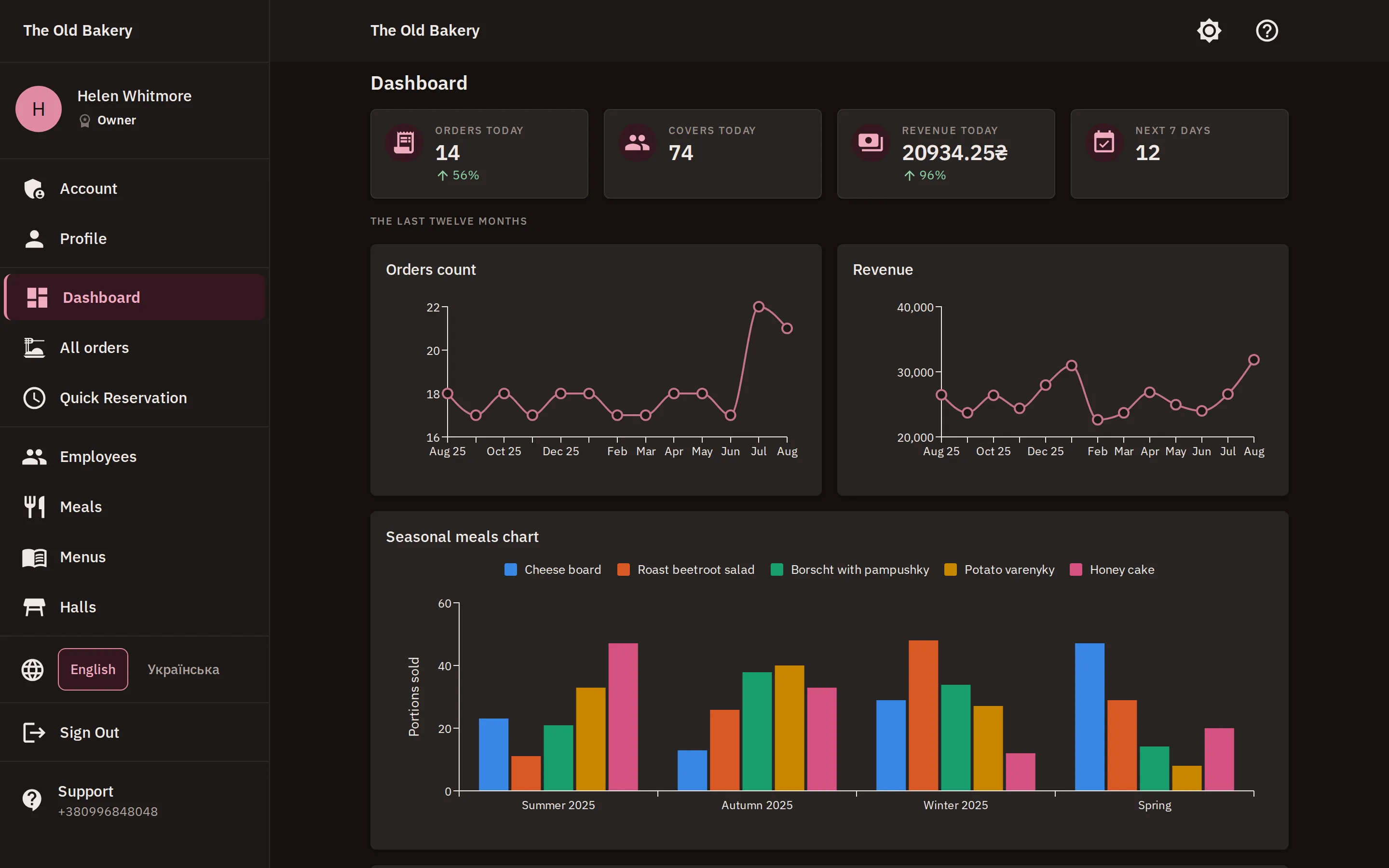
Dark mode
For the evening shift, and for anyone looking at a screen all night. One tap.
-
Help beside the work
The guide opens as a panel on the screen you are standing on. Not in another tab.
Setting up takes one evening
Three steps, and none of them needs us.
-
Draw the room
Set the dimensions, place the tables, add your categories and dishes with prices.
-
Invite the team
Everyone gets a link by email and a role: server, administrator or owner.
-
Take the first order
After that it is just work — and at the end of the month you have numbers on it for the first time.
Two prices, and a free start
No per-seat fee, no per-table fee. Cancel whenever you like.
-
Trial
Everything in Professional, for two weeks. No card needed.
Free 14 days
- Every Professional feature
- No limits on volume
- No card, no charge
- Your data stays if you continue
-
Basic
Orders, the menu and your team.
300 ₴ / month
- Orders: dine-in, delivery, take-away
- Receipts, discounts, deposits
- Categories, dishes and menus
- Employees and roles
-
Professional
Most restaurants pick thisEverything in Basic, plus the room and the numbers.
600 ₴ / month
- Everything in Basic
- Rooms and the floor plan
- Table reservations
- Dashboard with charts
Questions people ask
Do I need a card for the trial?
No. You sign up and work for 14 days with full access. Nothing is charged, because we never ask for payment details.
What happens when the trial ends?
You get a warning three days before. After it ends access is restricted until you pick a plan — but your data stays exactly where it is and comes back with the access.
Can I change plan later?
Yes, at any time. Moving up takes effect immediately; moving down applies from the next billing period.
How do you take payment?
Visa and Mastercard, and bank transfer for registered companies.
How many devices do we need?
As many as you already have. Innkeeper runs in the browser on a tablet, a laptop or a phone — there is no hardware to buy.
What if we have more than one room?
As many rooms as you like, each with its own plan. That is part of the Professional plan.
Try it across one shift
14 days of full access. No card, no sales call, and no setup somebody else has to do for you.